Everything about player development, from test day to the report for parents.
Six modules the academy staff fill in once, and Progressor turns into categories, charts and reports. The screenshots come from the demo academy.
Tests and test sessions
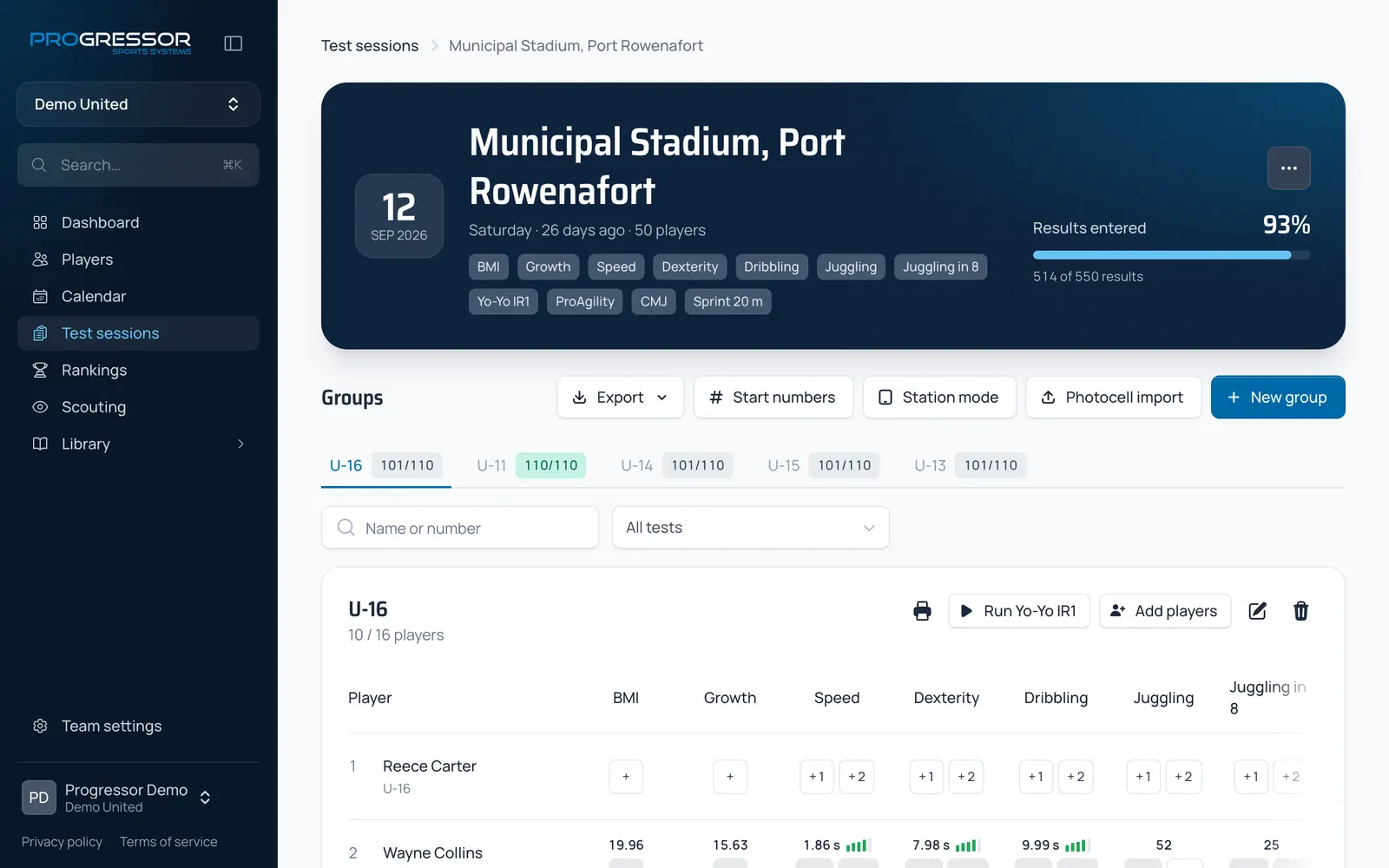
Plan the test day, split the players into groups and enter results on a phone or tablet by the pitch. A progress bar shows how many results are still missing.
- Nine tests built in, including Yo-Yo IR1 and ProAgility, plus club tests with your own norms.
- Yo-Yo IR1 for the whole group at once: the app plays the beeps, you mark warnings and the players who drop out.
- Station mode keeps results on the phone when there is no signal and sends them once the connection is back.
Norms and result categories
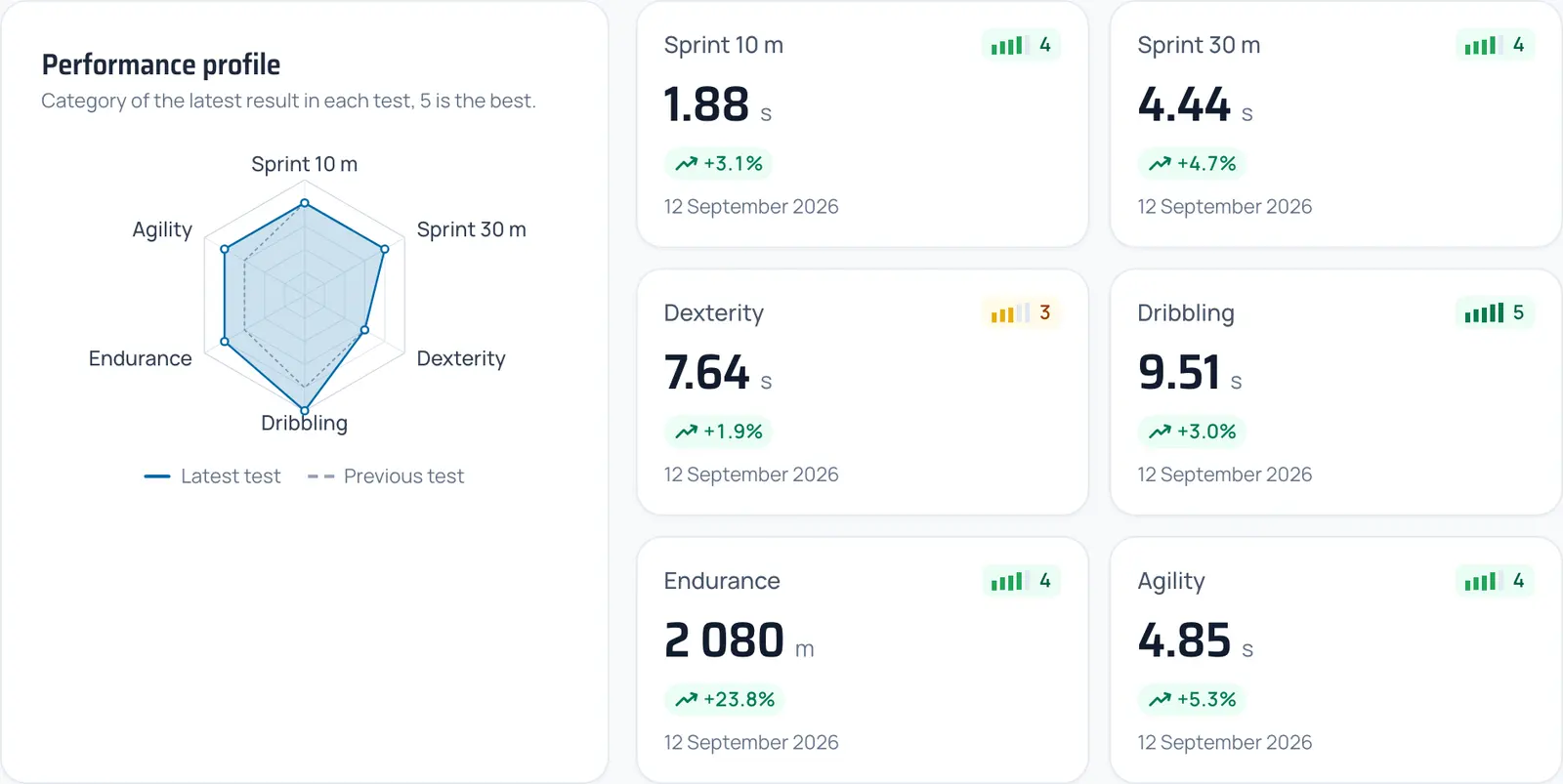
Every result is compared with the reference values of the player's age category and rated on a scale of 1 to 5. The team's region, Poland or Germany, sets the age categories and norms.
- A target for the next test: the result that takes the player into the next category.
- Performance index for players and teams, and comparisons of results for up to four players.
- Rankings in every test with an age category filter and CSV export.
Maturity and PHV
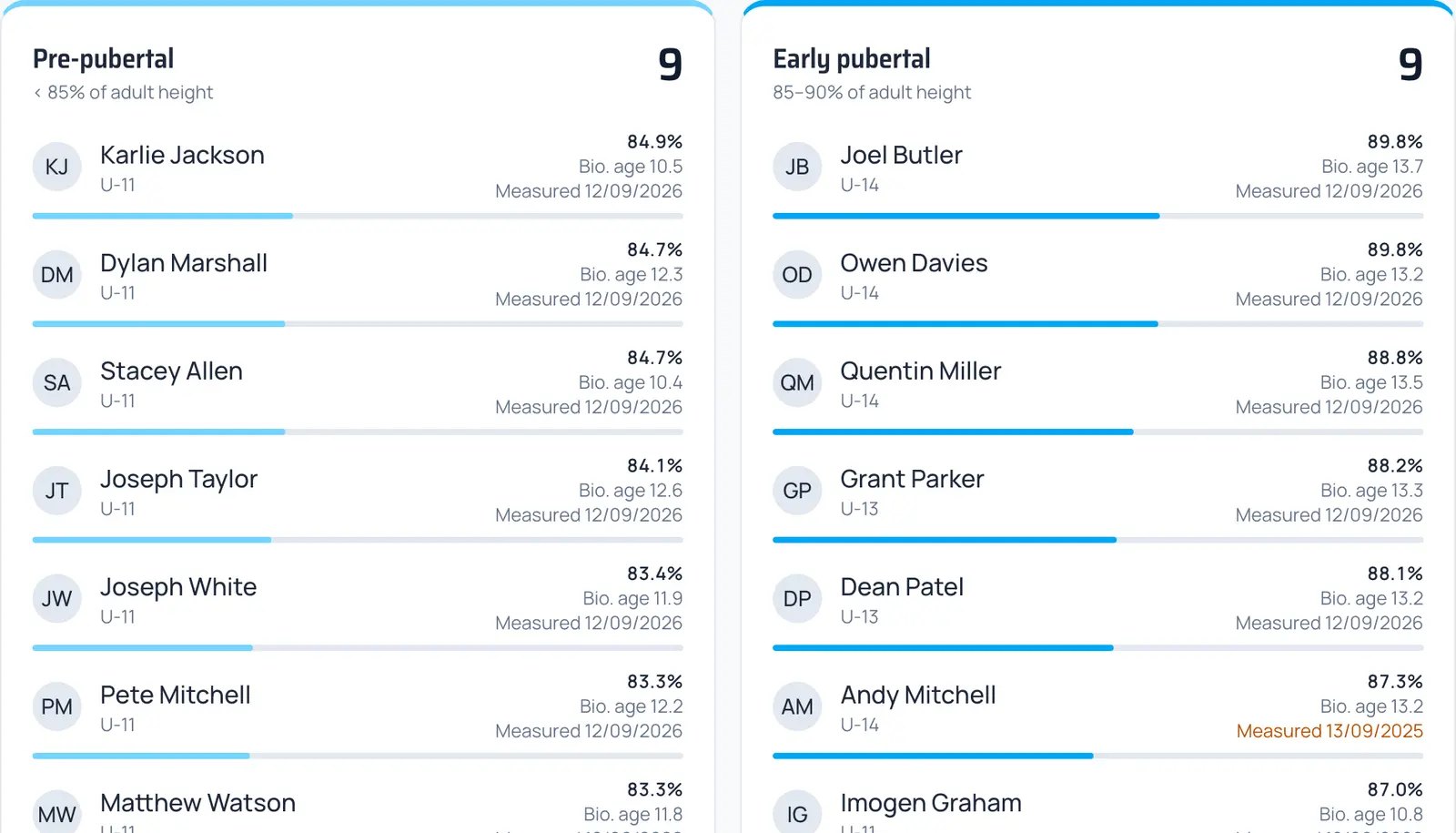
From height, sitting height and body mass, Progressor estimates biological age, the distance from peak height velocity (PHV) and predicted adult height.
- Players up to a year before or after PHV are flagged as in the growth spurt, because that is when the risk of overload rises.
- Bio-banding: groups by the percentage of predicted adult height (Cumming et al., 2017).
- Training load from session RPE week by week, with a warning when it rises by more than 30% during the growth spurt.
Reports for parents
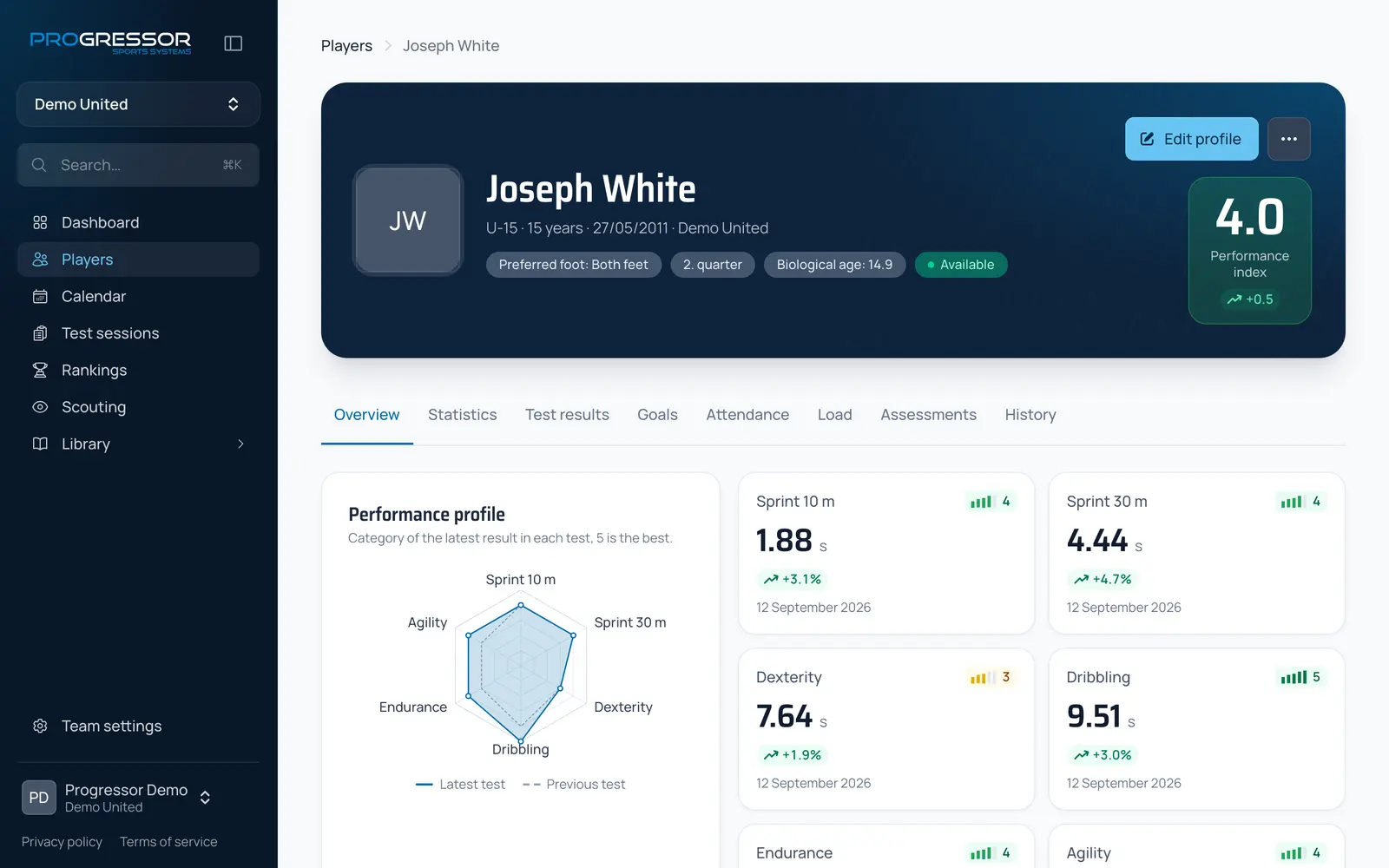
The development report on one page: fitness profile, latest results with categories, height, maturity and development goals. Download it as a PDF or share a link with the guardians.
- A link for guardians valid for 7, 30 or 90 days, which you can revoke at any time.
- The player's attendance, minutes, goals and assists in the current season.
- Reports for the whole team in one PDF, up to 60 players, prepared in the background.
Scouting
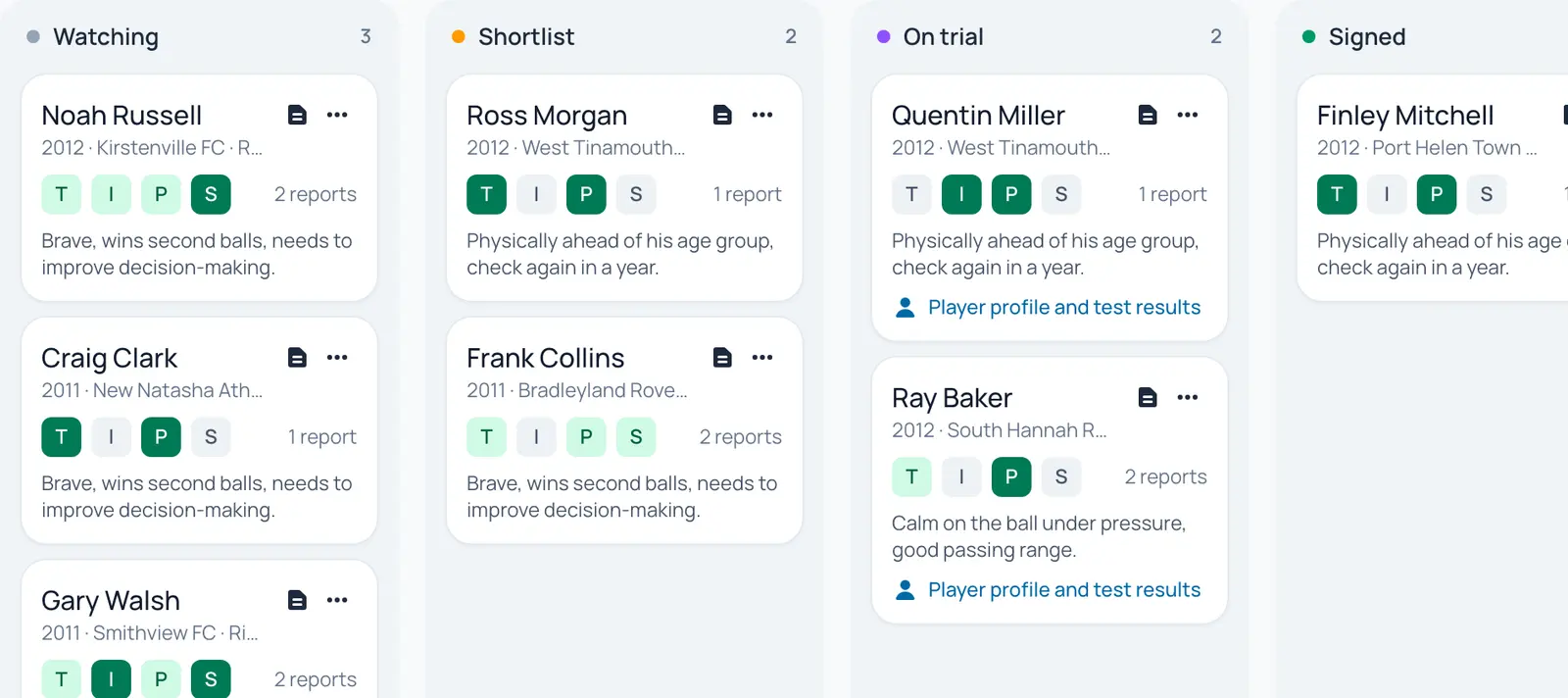
Match reports with ratings against your own criteria and a prospects board that takes each player from the first observation to a decision: watched, shortlist, on trial, signed.
- Start the report while the match is still on and note a player by shirt number and position.
- Time-coded match videos linked to the report, and all observations of a player on one page.
- A player on trial gets a profile and results like everyone at the club, and you print the match report as a PDF.
Calendar, attendance and matches
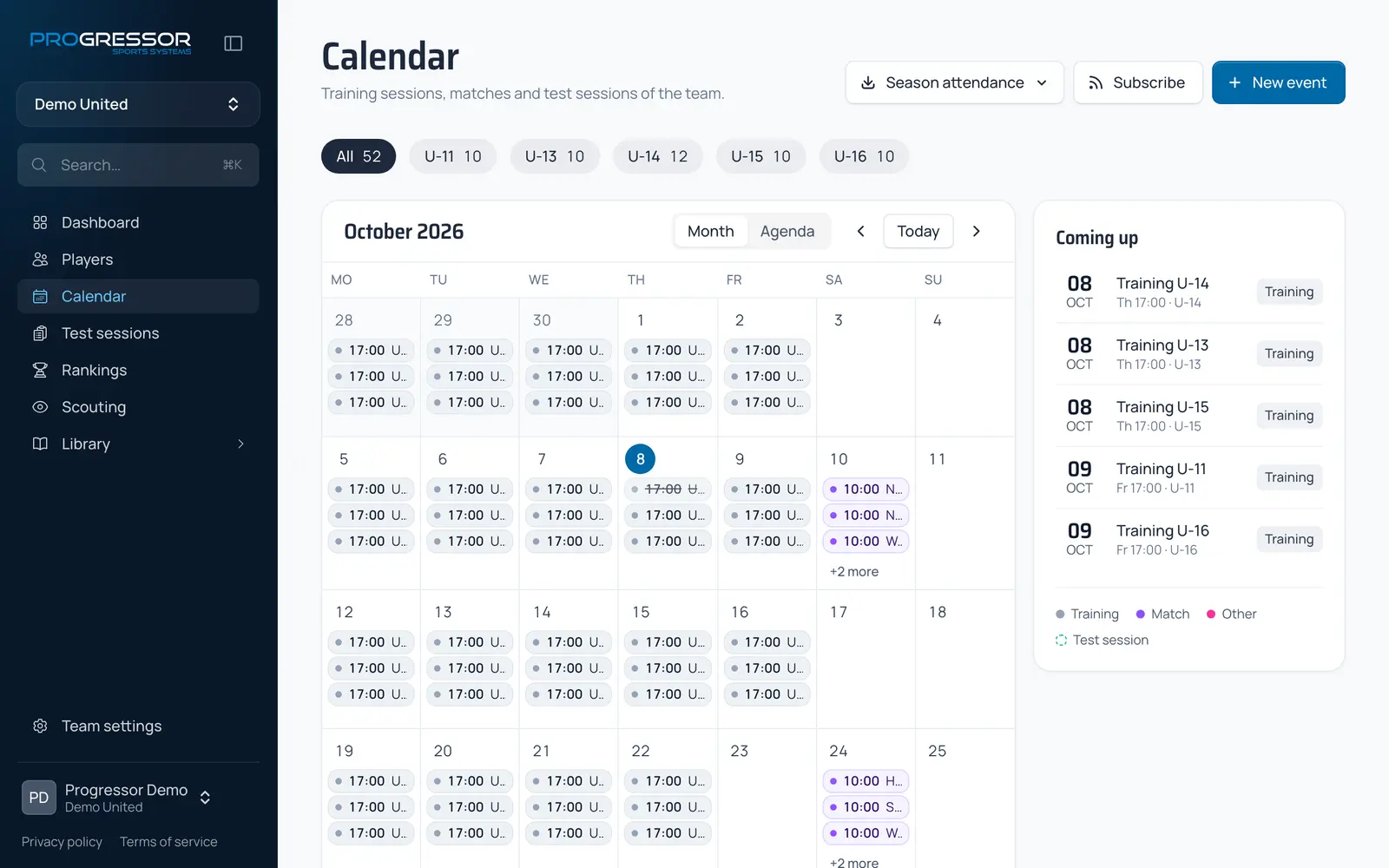
Training, matches and test days in one team calendar. Fill in attendance with reasons for absence, and the dashboard reminds you of missing registers.
- A live match on your phone: line-up, substitutions and the half's clock, and afterwards the minutes, goals and assists go into the statistics.
- Each player's season playing time against the minutes of the matches they were there for.
- Subscribe to the team calendar in Google Calendar, Apple Calendar and Outlook.
And also
- CSV import and export
- Load players from a CSV file or paste them from a spreadsheet, with a preview of every row. Download the players list and rankings as CSV.
- Season assessments
- Player assessments against your own criteria and questions, printable as a PDF.
- Development goals
- A player's goal measured by any built-in or club test.
- Injuries
- Injuries with return-to-play stages and medical check-up dates.
- Team changes
- The dashboard shows what changed over the last week, and on Monday morning it arrives by e-mail.
- Team roles
- Owner, administrator, editor and analyst, each with their own permissions.
See your academy in Progressor.
Open the demo and try everything with a sample academy's data. When you want to start with your own players, request access.
What happens after you request access
-
We reply within one working day.
-
We talk for 20 minutes about your academy and the tests you already run.
-
We set up your account and help you prepare your first test day.